At first glance, many tools used for P&ID and plant design may seem to cover similar needs. The real difference usually appears later. When revisions increase, data must remain consistent across drawings and documentation, and engineering teams need to work with speed but also with control.
This is why many companies are gradually moving beyond general-purpose or less structured CAD workflows and looking for plant design environments that reduce manual work, improve consistency, and make day-to-day engineering tasks easier to manage.
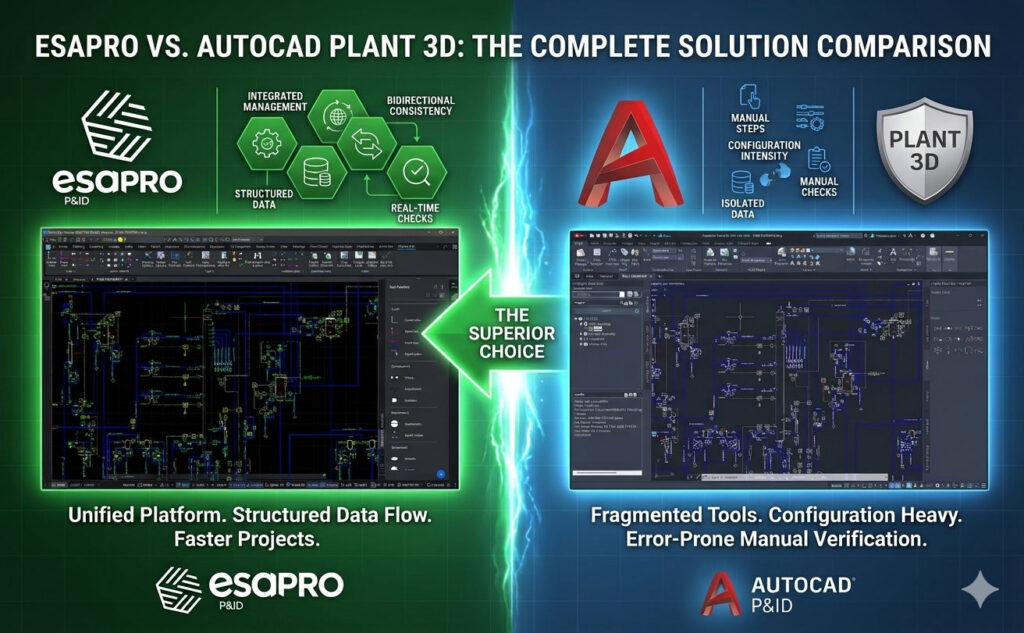
Here are 13 practical reasons why ESAPRO P&ID and ESAPRO 3D Piping can be a more effective choice than AutoCAD P&ID and AutoCAD Plant 3D.
Reason 1 – Stronger class management from the start
One of ESAPRO’s clearest advantages is the way it handles classes in both P&ID and 3D piping, leading to fewer inconsistencies and less time spent fixing avoidable errors.
ESAPRO P&ID supports both P&ID and piping classes with real-time consistency checks during the drawing phase. In ESAPRO 3D piping, class creation is faster and more user-friendly, the branch table is generated automatically, and new dimensional catalogues are easier to implement. By comparison, class setup in AutoCAD tends to be more configuration-intensive in the P&ID phase and more manual in the 3D environment.
That matters because class management is not a background task. It influences consistency and reliability throughout the project.
Reason 2 – Better data management, not data added afterward
A good plant design environment should not only display information but also manage it in a structured way.
In ESAPRO, component data is assigned and managed directly through piping classes. In AutoCAD Plant 3D, data must often be assigned manually, component by component, through the Data Manager or external Excel files. That difference becomes very visible when the project grows and information has to remain aligned across drawings, lists, and revisions.
This is often where the real value of a dedicated plant design tool begins: not in the graphics alone, but in how much hidden manual work it removes.
Reason 3 – Changes are easier to manage
Most projects do not fail because the first version was difficult to draw. They become inefficient because changes are difficult to absorb.
ESAPRO P&ID manages changes at line or class level and can automatically notify the user when inconsistencies or out-of-spec components appear. In ESAPRO 3D Piping, diameter or class changes can update the full line automatically, including dimensional changes and out-of-class conditions. AutoCAD Plant 3D, on the other hand, tends to rely more heavily on manual intervention and one-by-one verification when line characteristics change.
For projects with many revisions, that is not a small convenience. It is a major productivity factor.
Reason 4 – More automatic checks, fewer manual verifications
Engineering teams should spend their time solving real design problems, not chasing avoidable inconsistencies.
ESAPRO P&ID includes checks for duplicated line numbers and tags, disconnections, and fully out-of-spec components in P&ID. In ESAPRO 3D Piping, it adds checks for disconnections, ratings, out-of-class components, and clashes, including real-time clash checks. AutoCAD Plant 3D offers a more limited set of controls in these areas, especially for interference and out-of-class conditions.
No software replaces engineering judgment. But better checks reduce the amount of manual verification required every day.
Reason 5 – Easier list generation for real project work
A large share of project time is lost outside the drawing itself, especially in extraction, reporting, and documentation.
Lists, reports, counts, and exports are part of the real workflow, and they often become a bottleneck when software makes them too complex. ESAPRO 3D Piping offers flexible but simple list customization, even for less experienced users, and lists can be exported to Excel. AutoCAD Plant 3D also exports lists, but the customization is more skill-dependent and less straightforward.
In many projects, the biggest time savings happen outside the drawing window.
Reason 6 – Better control over revisions and data updates
Revision handling is where many CAD-based workflows start to show their limits.
ESAPRO P&ID updates the database through a dedicated extraction command, so users can decide when to perform the update, and it includes a function to compare revisions and highlight differences. In ESAPRO 3D Piping, class changes are reflected in the model, out-of-class changes are indicated, and components are updated correctly to new dimensional parameters.
Reason 7 – More advanced tag and instrument management
Tagging and instrumentation can look like secondary details, until they begin to consume time across dozens or hundreds of objects.
ESAPRO offers customizable line tags and a dedicated command that can be configured to automatically number valves and line components. Instrument management supports ISA or KKS standards and includes automatic location management for connected instruments. There is also an add-on module for automatic datasheet generation.
These are the features that improve consistency without creating extra work for the user.
Reason 8 – Faster and smarter line modelling and component placement
In 3D piping, productivity depends on how much the software actually assists the designer.
ESAPRO 3D Piping supports intuitive axis-based piping modelling, contextual assignment of process data to lines, automatic axis dressing, fit-to-fit modelling, automatic routing, and modelling aids based on reference planes. It also provides real-time checks for pipe and insulation interferences. Component placement is assisted by automatic selection of compatible items according to the piping class, simplified positioning through PipeSnap, and automatic insertion of flanges and gaskets.
When these functions are handled in a less assisted way, the workflow tends to rely more on manual operations. That is often where efficiency begins to slow down.
Reason 9 – Stronger integration between P&ID and 3D
When process and piping environments communicate well, coordination improves dramatically.
In ESAPRO, a browser in the 3D environment makes it possible to view the P&ID directly and highlight objects that have not yet been modelled in piping. From the P&ID side, users can also check how many objects have been added or changed in the piping environment. That two-way visibility gives teams a more practical connection between process and 3D work.
Beyond the link between P&ID and 3D, another important advantage is the ability to fit into a broader engineering workflow. Plant design rarely happens in isolation: projects often require information to move across design, documentation, coordination, review, and analysis environments. A solution built on standard CAD entities and open project logic makes that connection easier to manage, including when teams also rely on external tools such as simulation or other technical applications during the project lifecycle.
In multidisciplinary projects, this kind of continuity is often more useful than an impressive interface.
Reason 10 – Isometrics that bring practical value
Isometric production is not always the first thing companies think about when choosing plant design software. Yet it often becomes essential as projects mature.
ESAPRO Isometrics supports automatic sketch generation, automatic dimensioning, automatic labelling of lines and components, bill of materials, cut lists, spooling, and weld lists. Sketches can be graphically refined, and there is also a manual mode that allows sketches to be created without a full piping model. AutoCAD Plant 3D follows a more ISOGEN-like approach, with more complex configuration and no direct sketch generation without a 3D piping model.
For many engineering teams, this makes isometrics more usable in real projects, not just available in theory.
Reason 11 – Easier configuration and better multi-user readiness
A platform can be powerful on paper and still be difficult to adopt in practice.
ESAPRO offers a configuration environment described as intuitive and affordable even for less experienced users. It is also designed for heavy multi-user use on a single project. AutoCAD Plant 3D offers a flexible environment, but one that generally requires more configuration effort and can be less straightforward to manage in simultaneous multi-user project work.
This has a direct effect on onboarding time, internal training effort, and the ability to collaborate without friction.
Reason 12 – More than software: customer-oriented support, training, and continuous evolution
Choosing a plant design platform is not only about features. It is also about what happens after adoption: how quickly a team becomes productive, how easily real project issues can be solved, and how much support is available as needs evolve.
This is where a customer-oriented approach makes a real difference. Direct support, practical training, and close attention to user feedback can reduce adoption risk, shorten the learning curve, and help engineering teams get value from the software much faster.
For many companies, support is not a secondary service. It is part of the working environment itself. Responsive assistance, training on the job, and continuous product evolution based on real operational needs can make the difference between software that is simply installed and software that is actually used effectively every day. This customer-close approach is also one of the most distinctive levers ESAIN wants to emphasize, together with support and training as key competitive advantages.
Reason 13 – A more accessible path to ROI
The cost of software is rarely limited to the license alone.
There is also the cost of training, configuration, rework, manual checks, poor revision handling, and slow adoption. A system that is easier to learn, easier to configure, and more controlled in everyday work often delivers value faster, especially in projects where teams need to become productive quickly and keep documentation consistent without adding extra overhead.
That is why a more accessible workflow can be just as important as a long feature list.
The difference between ESAPRO and AutoCAD Plant 3D/P&ID is not just about drawing features. It is about the overall workflow behind the drawing.
At first glance, these platforms may seem to address similar needs. In practice, however, they reflect different approaches to plant design. Some workflows remain more CAD-centered and therefore more dependent on manual handling around data, revisions, checks, and updates. Others are built to keep classes, information, modelling, and documentation under closer control throughout the project lifecycle.
That difference becomes more visible as projects grow, revisions multiply, and several users need to work efficiently on the same project. For teams looking for a plant design workflow that is easier to adopt, more structured in daily use, and better suited to real engineering work, ESAPRO is a serious alternative to consider. And when direct support, practical training, and continuous product evolution also matter, that difference becomes even more meaningful.
This post was written with the kindly collaboration of Alessia Pala, Digital Marketing Manager of ESAIN.
For more details, contact us.
